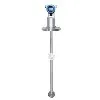
Installing a DP Type Density Meter in a pipeline is a crucial process that requires careful planning and execution. As a supplier of DP Type Density Meters, I understand the importance of providing clear guidance to ensure a successful installation. In this blog post, I will walk you through the step-by-step process of installing a DP Type Density Meter in a pipeline, highlighting key considerations and best practices along the way.
Step 1: Preparation
Before you begin the installation process, it is essential to gather all the necessary tools and equipment. This includes the DP Type Density Meter, mounting brackets, piping components, gaskets, and any other accessories required for the installation. Additionally, you should review the installation manual provided by the manufacturer to familiarize yourself with the specific requirements and guidelines for your particular model.
It is also important to ensure that the pipeline is clean and free of any debris or contaminants that could interfere with the proper functioning of the density meter. This may involve flushing the pipeline with a suitable cleaning solution and inspecting it for any signs of damage or corrosion.
Step 2: Select the Installation Location
The location where you install the DP Type Density Meter is critical to its performance and accuracy. Ideally, the meter should be installed in a straight section of the pipeline where the flow is fully developed and free of any turbulence or obstructions. This will help to ensure that the density measurements are representative of the actual fluid density in the pipeline.
In addition, the installation location should be easily accessible for maintenance and calibration purposes. It is recommended to install the meter at a height that allows for easy visual inspection and access to the control panel and other components.
Step 3: Mount the Density Meter
Once you have selected the installation location, the next step is to mount the DP Type Density Meter to the pipeline. This typically involves using mounting brackets or clamps to secure the meter in place. Make sure to follow the manufacturer's instructions carefully to ensure that the meter is mounted securely and at the correct angle.
It is also important to ensure that the meter is properly aligned with the pipeline to prevent any misalignment or stress on the meter and its components. This may involve using a level or other alignment tools to ensure that the meter is installed perfectly straight.
Step 4: Connect the Piping
After the density meter is mounted, the next step is to connect the piping to the meter. This typically involves using flanges, fittings, and gaskets to connect the inlet and outlet ports of the meter to the pipeline. Make sure to use the correct size and type of piping components to ensure a proper fit and seal.
It is also important to ensure that the piping is properly supported to prevent any stress or vibration on the meter and its components. This may involve using pipe supports or hangers to secure the piping in place.
Step 5: Connect the Electrical Wiring
Once the piping is connected, the next step is to connect the electrical wiring to the DP Type Density Meter. This typically involves connecting the power supply, signal cables, and other electrical components to the meter. Make sure to follow the manufacturer's instructions carefully to ensure that the wiring is connected correctly and safely.
It is also important to ensure that the electrical connections are properly insulated and protected to prevent any electrical hazards or interference. This may involve using electrical tape, conduit, or other protective measures to cover the wiring.
Step 6: Calibrate the Density Meter
After the density meter is installed and connected, the next step is to calibrate the meter to ensure its accuracy and performance. This typically involves using a calibration fluid with a known density to verify the meter's readings and adjust the settings as needed.
Make sure to follow the manufacturer's instructions carefully to ensure that the calibration process is performed correctly and accurately. It is also recommended to perform regular calibration checks to ensure that the meter continues to provide accurate and reliable density measurements over time.
Step 7: Test the System
Once the density meter is calibrated, the final step is to test the system to ensure that it is functioning properly. This typically involves running the fluid through the pipeline and monitoring the density readings on the control panel or other display device.
Make sure to check the density readings against the known density of the fluid to ensure that the meter is providing accurate and reliable measurements. If any issues or discrepancies are detected, it is important to troubleshoot the system and make any necessary adjustments or repairs.
Conclusion
Installing a DP Type Density Meter in a pipeline is a complex process that requires careful planning and execution. By following the steps outlined in this blog post and using the best practices and guidelines provided by the manufacturer, you can ensure that the density meter is installed correctly and provides accurate and reliable density measurements over time.


If you have any questions or need further assistance with the installation or calibration of a DP Type Density Meter, please do not hesitate to contact us. As a leading supplier of DP Type Liquid Density Transmitter, Top Mounted Online Density Meter, and Side Mounted Liquid Density Meter, we have the expertise and experience to help you with all your density measurement needs.
References
- Manufacturer's installation manual for the DP Type Density Meter
- Industry standards and guidelines for density measurement and installation
- Technical literature and research papers on density measurement and instrumentation