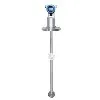
Hey there! As a supplier of the 3051DP Transmitter, I've seen my fair share of issues with these devices. In this blog, I'll walk you through some common faults of the 3051DP Transmitter and how to troubleshoot them.
1. Zero Output or No Signal
One of the most common problems you might encounter is a zero output or no signal from the 3051DP Transmitter. This can be a real headache, but there are a few things you can check.
First, make sure the power supply is working properly. A loose connection or a blown fuse can easily cause this issue. Check the power cables and ensure they are securely plugged in. Also, verify that the power supply voltage is within the specified range for the 3051DP Transmitter.
Another possible cause is a blocked impulse line. The impulse lines are the tubes that connect the transmitter to the process. If these lines get blocked by debris, dirt, or even ice in cold environments, the transmitter won't be able to sense the pressure correctly. You can try to flush the impulse lines with a suitable cleaning solution to remove any blockages.
Sometimes, the problem could be with the sensor itself. Over time, the sensor can get damaged due to harsh operating conditions. If you suspect a sensor issue, it's best to test the sensor using a calibrated pressure source. Compare the readings from the transmitter with the known pressure values from the source. If there's a significant discrepancy, the sensor might need to be replaced.
2. Incorrect Readings
Incorrect readings are another common fault. The transmitter might be showing a pressure value that's way off from the actual pressure in the process.
One reason for this could be calibration issues. The 3051DP Transmitter needs to be calibrated regularly to ensure accurate readings. If it hasn't been calibrated in a while, the readings can start to drift. You can perform a zero and span calibration using a calibration tool. Follow the manufacturer's instructions carefully during the calibration process.
Temperature can also affect the accuracy of the readings. The transmitter is designed to operate within a certain temperature range. If the operating temperature is outside this range, it can cause the sensor to behave erratically. You might need to install a temperature compensation device or relocate the transmitter to a more suitable environment.
Mechanical damage to the transmitter can also lead to incorrect readings. If the transmitter has been dropped or subjected to excessive vibration, it can damage the internal components. Inspect the transmitter for any visible signs of damage, such as cracks or bent parts. If you find any damage, it's likely that the transmitter needs to be repaired or replaced.
3. Erratic Output
An erratic output means that the pressure readings are fluctuating randomly. This can make it difficult to monitor the process accurately.
Electrical interference is a common culprit for erratic output. The transmitter's electrical signals can be affected by nearby electrical equipment, such as motors, generators, or power cables. You can try to isolate the transmitter from these sources of interference. Use shielded cables for the electrical connections and install ferrite beads on the cables to reduce electromagnetic interference.
A loose electrical connection can also cause erratic output. Check all the electrical connections, including the terminal blocks and the cable connectors. Make sure they are tight and free from corrosion. If you find any loose connections, tighten them up and clean any corrosion using a suitable electrical contact cleaner.
The process itself might be causing the erratic output. If the process has a lot of turbulence or rapid pressure changes, it can make the transmitter's readings unstable. In such cases, you might need to install a damping device to smooth out the pressure fluctuations before they reach the transmitter.
4. High or Low Output
A high or low output that is consistently off from the expected values can be a sign of a serious problem.


If the output is consistently high, it could be due to a faulty amplifier in the transmitter. The amplifier is responsible for boosting the sensor's signal to a level that can be measured. A malfunctioning amplifier can cause the output to be higher than normal. You can test the amplifier using a signal generator and an oscilloscope. If the amplifier is found to be faulty, it needs to be replaced.
On the other hand, a consistently low output can be caused by a weak sensor signal. This could be due to a problem with the sensor itself or a problem with the signal conditioning circuit. Check the sensor's resistance and output voltage using a multimeter. If the sensor readings are abnormal, it might need to be replaced.
Troubleshooting Steps
When troubleshooting the 3051DP Transmitter, it's important to follow a systematic approach.
First, gather as much information as possible about the problem. Note down the symptoms, such as the type of output (zero, incorrect, erratic, etc.), the time when the problem started, and any recent changes in the process or the environment.
Next, perform a visual inspection of the transmitter and its connections. Look for any obvious signs of damage, loose connections, or blockages.
Then, start testing the different components of the transmitter. Use appropriate testing tools, such as multimeters, pressure gauges, and calibration equipment. Compare the test results with the manufacturer's specifications.
If you're still unable to identify the problem, don't hesitate to contact the manufacturer's technical support team. They have the expertise and experience to help you diagnose and solve the problem.
Conclusion
The 3051DP Transmitter is a reliable and widely used device, but like any other equipment, it can develop faults over time. By being aware of the common faults and knowing how to troubleshoot them, you can minimize downtime and ensure the accurate operation of your process.
If you're in the market for a high - quality 3051DP Transmitter or need more information about our products, feel free to reach out to us for a procurement discussion. We're here to help you find the best solution for your needs.
References
- Manufacturer's manual for the 3051DP Transmitter
- Industry standards for pressure transmitter troubleshooting