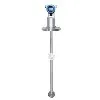
Hey there, folks! I'm part of a liquid density meter supplier, and I've been in the thick of the density - measuring game for quite a while. Today, I'm gonna share with you how to adjust the settings of a liquid density meter. It might seem a bit daunting at first, but once you get the hang of it, it's a piece of cake.
Understanding Your Liquid Density Meter
Before you start adjusting the settings, you gotta know what you're dealing with. There are different types of liquid density meters out there. For instance, we have the Fork Type Density Meter. This type is super handy as it can directly measure the density of liquids in a pipeline. It works based on the principle of vibrating elements. When the liquid passes through the fork, the vibration frequency of the fork changes according to the density of the liquid.
Then there's the DP Type Liquid Density Transmitter. This one measures density by detecting the differential pressure of the liquid. It's a reliable option for continuous density monitoring in industrial processes.
And let's not forget the Side Mounted Liquid Density Meter. As the name suggests, it can be mounted on the side of a tank or a pipeline. This type is great for applications where space is limited.
Pre - adjustment Checks
First things first, you need to do a few pre - adjustment checks. Make sure the density meter is properly installed. Check all the connections, whether it's electrical or mechanical. Loose connections can cause inaccurate readings. Also, check the power supply. The meter needs a stable power source to function correctly.
Inspect the sensor. If it's dirty or damaged, it can affect the measurement. Clean the sensor gently according to the manufacturer's instructions. For some meters, you might need to use a specific cleaning solution.


Zero and Span Adjustment
Zero adjustment is the first step in setting up your liquid density meter. The zero point is the density reading when there's no liquid or when the liquid has a known reference density (usually water). To do a zero adjustment, fill the measuring chamber with the reference liquid. Wait for the reading to stabilize. Then, use the adjustment button or software interface on the meter to set the reading to the known density value of the reference liquid.
Span adjustment comes next. The span represents the range of density values that the meter can measure. You need to choose two points within the expected density range of your application. For example, if you're measuring the density of a chemical solution that usually ranges from 0.8 g/cm³ to 1.2 g/cm³, you can use two solutions with densities close to these values. Measure the density of each solution using the meter. Then, use the adjustment function to make the meter display the correct density values for these two points. This will calibrate the meter across the entire span of your application.
Temperature Compensation Settings
Temperature can have a significant impact on the density of liquids. As the temperature changes, the density of the liquid also changes. Most modern liquid density meters come with temperature compensation features.
To set up temperature compensation, you first need to know the temperature coefficient of the liquid you're measuring. This value tells you how much the density of the liquid changes with a change in temperature. Enter this value into the density meter's settings. The meter will then use this information to adjust the density readings based on the actual temperature of the liquid. You can measure the temperature using a built - in temperature sensor or an external one, depending on the model of the meter.
Output Signal Adjustment
The density meter usually outputs a signal, such as a 4 - 20 mA current signal or a digital signal. You need to adjust this output signal to match your control system or monitoring device.
For a 4 - 20 mA signal, you need to set the lower and upper limits. The 4 mA signal typically corresponds to the minimum density value in your measurement range, and the 20 mA signal corresponds to the maximum density value. Use the meter's configuration software or adjustment buttons to set these limits.
If you're using a digital output, make sure the communication protocol is set correctly. Common protocols include Modbus, Profibus, etc. Check the documentation of your control system and the density meter to ensure compatibility.
Troubleshooting During Adjustment
Sometimes, you might run into some issues during the adjustment process. If the meter is giving erratic readings, check the power supply again. A fluctuating power supply can cause unstable readings. Also, check for any electromagnetic interference in the area. Nearby motors or other electrical equipment can generate interference.
If the zero or span adjustment doesn't seem to work, double - check the reference liquids you're using. Make sure they have the correct density values. It's also possible that the sensor is damaged. In this case, you might need to replace the sensor.
Regular Maintenance and Re - adjustment
Once you've adjusted the settings of your liquid density meter, it's important to perform regular maintenance. Clean the sensor periodically to prevent the build - up of debris. Check the connections for tightness.
You should also re - adjust the meter from time to time. Over time, the performance of the meter can drift due to factors like wear and tear, changes in the environment, etc. Re - calibration can help ensure the accuracy of your density measurements.
Why Choose Our Liquid Density Meters
As a liquid density meter supplier, we offer a wide range of high - quality meters. Our products are known for their accuracy, reliability, and durability. We have a team of experts who can provide you with technical support and guidance on adjusting the settings of our meters. Whether you need a Fork Type Density Meter, a DP Type Liquid Density Transmitter, or a Side Mounted Liquid Density Meter, we've got you covered.
If you're interested in purchasing a liquid density meter or have any questions about setting up and adjusting the settings, don't hesitate to reach out. We're more than happy to help you with your density - measuring needs.
References
- Manufacturer's manuals of liquid density meters
- Industry standards for density measurement
That's all for today's blog. I hope you found this information useful. Until next time!